Hayk Nersisyan

Freshman Engineer

My Projects

A curated set of coursework and technical showcases. Choose a tile to jump directly to a project.

Fibonacci Sequence with Programming Languages

Click on any language to view its Fibonacci implementation in a glowing modal

Python3
Click to view code
C++
Click to view code
JavaScript
Click to view code
Lua
Click to view code
Lisp
Click to view code
TCL
Click to view code
...

Demoscene Showcase

demo.js (JavaScript)


const c = document.getElementById('c'), x = c.getContext('2d');
function R() {
  c.width = innerWidth;
  c.height = 400;
}
R();
let t = 0;
function D() {
  t += 0.02;
  const w = c.width, h = c.height;
  for (let y = 0; y < h; y++) {
    const v = Math.sin(y * 0.04 + t) * 90 + Math.sin(t * 2 + y * 0.015) * 70;
    const r = 120 + v, g = 60 + v * 0.5, b = 200 + Math.sin(t + y * 0.03) * 40;
    x.fillStyle = `rgb(${r | 0}, ${g | 0}, ${b | 0})`;
    x.fillRect(0, y, w, 1);
  }
  x.globalAlpha = 0.1;
  x.fillStyle = '#000';
  for (let i = 0; i < h; i += 3) x.fillRect(0, i, w, 1);
  x.globalAlpha = 0.15;
  x.fillStyle = '#0f0';
  x.fillRect(Math.sin(t) * 60 + w / 2 - 3, 0, 6, h);
  x.globalAlpha = 1;
  requestAnimationFrame(D);
}
addEventListener('resize', R);
D();

Demoscene Showcase — Python 3

Python demo is meant to run locally (Tkinter).

Python Tkinter Demoscene

Run locally:

python3 demo.py

Requires Pillow + NumPy

pip install pillow numpy

demo.py (Python 3)


#!/usr/bin/env python3
import time, math, tkinter as tk
from PIL import Image, ImageTk

WIDTH, HEIGHT = 320, 180
SCALE = 4

class DemoApp:
    def __init__(self):
        self.root = tk.Tk()
        self.root.title("Tk Demoscene")
        self.canvas = tk.Canvas(self.root, width=WIDTH*SCALE, height=HEIGHT*SCALE, bg="black")
        self.canvas.pack()
        self.img_id = self.canvas.create_image(0, 0, anchor="nw")
        self.t0 = time.perf_counter()
        self.photo = None
        self.loop()

    def loop(self):
        t = time.perf_counter() - self.t0
        img = Image.new("RGB", (WIDTH, HEIGHT), (int(127 + 128*math.sin(t)), 0, 120))
        img = img.resize((WIDTH*SCALE, HEIGHT*SCALE), Image.NEAREST)
        self.photo = ImageTk.PhotoImage(img)
        self.canvas.itemconfig(self.img_id, image=self.photo)
        self.root.after(16, self.loop)

    def run(self):
        self.root.mainloop()

if __name__ == "__main__":
    DemoApp().run()

Demoscene Showcase — Space (HTML + JS)

Full standalone HTML file (copy → save as space-demoscene.html → open in browser)

space-demoscene.html (HTML + JavaScript)

<!DOCTYPE html>
<html lang="en">
<head>
  <meta charset="UTF-8" />
  <title>Space Demoscene</title>
  <style>
    :root { color-scheme: dark; }
    * { box-sizing: border-box; margin: 0; padding: 0; }
    html, body {
      width: 100%;
      height: 100%;
      overflow: hidden;
      background: #000;
      font-family: system-ui, -apple-system, BlinkMacSystemFont, "Segoe UI", sans-serif;
    }
    canvas { display: block; }
    .credits {
      position: fixed;
      bottom: 10px;
      right: 16px;
      font-size: 11px;
      color: rgba(200, 200, 255, 0.5);
      letter-spacing: 0.15em;
      text-transform: uppercase;
      pointer-events: none;
      user-select: none;
    }
  </style>
</head>
<body>
  <canvas id="scene"></canvas>
  <div class="credits">Space Demoscene · HTML + JS</div>

  <script>
    (function () {
      const canvas = document.getElementById('scene');
      const ctx = canvas.getContext('2d');

      let width = window.innerWidth;
      let height = window.innerHeight;
      let centerX = width / 2;
      let centerY = height / 2;

      function resize() {
        width = window.innerWidth;
        height = window.innerHeight;
        canvas.width = width;
        canvas.height = height;
        centerX = width / 2;
        centerY = height / 2;
      }
      window.addEventListener('resize', resize);
      resize();

      const STAR_COUNT = 700;
      const STAR_DEPTH = 32;
      const stars = [];
      function initStar() {
        return {
          x: (Math.random() * 2 - 1) * STAR_DEPTH,
          y: (Math.random() * 2 - 1) * STAR_DEPTH,
          z: Math.random() * STAR_DEPTH
        };
      }
      for (let i = 0; i < STAR_COUNT; i++) stars.push(initStar());

      const NEBULA_COUNT = 70;
      const nebula = [];
      function initNebulaParticle() {
        const radius = Math.max(width, height) * (0.3 + Math.random() * 0.4);
        const angle = Math.random() * Math.PI * 2;
        return {
          baseX: centerX + Math.cos(angle) * radius,
          baseY: centerY + Math.sin(angle) * radius,
          offset: Math.random() * Math.PI * 2,
          size: 140 + Math.random() * 260,
          hue: 190 + Math.random() * 80
        };
      }
      function refreshNebula() {
        nebula.length = 0;
        for (let i = 0; i < NEBULA_COUNT; i++) nebula.push(initNebulaParticle());
      }
      refreshNebula();

      const planet = { radiusBase: 130, rotation: 0 };
      const title = "DEMO: SPACE";
      const subtitle = "html + js · realtime";

      let lastTime = performance.now();
      let time = 0;

      function drawStarfield(dt) {
        const speed = 0.02 * dt;
        ctx.save();
        ctx.fillStyle = "black";
        ctx.globalAlpha = 0.35;
        ctx.fillRect(0, 0, width, height);
        ctx.restore();

        const focalLength = width / 2;
        for (let i = 0; i < STAR_COUNT; i++) {
          const s = stars[i];
          s.z -= speed;
          if (s.z <= 0) { stars[i] = initStar(); continue; }

          const k = focalLength / s.z;
          const x = s.x * k + centerX;
          const y = s.y * k + centerY;

          if (x < 0 || x >= width || y < 0 || y >= height) {
            stars[i] = initStar();
            continue;
          }
          const brightness = (1 - s.z / STAR_DEPTH);
          const size = brightness * 2.2;
          const alpha = 0.25 + brightness * 0.75;

          ctx.beginPath();
          ctx.fillStyle = `rgba(200, 220, 255, ${alpha.toFixed(3)})`;
          ctx.rect(x, y, size, size);
          ctx.fill();
        }
      }

      function drawNebula() {
        ctx.save();
        ctx.globalCompositeOperation = "screen";
        for (let i = 0; i < nebula.length; i++) {
          const p = nebula[i];
          const ox = Math.cos(time * 0.00012 + p.offset) * 60;
          const oy = Math.sin(time * 0.00009 + p.offset) * 60;
          const x = p.baseX + ox;
          const y = p.baseY + oy;

          const grd = ctx.createRadialGradient(x, y, 0, x, y, p.size);
          grd.addColorStop(0, `hsla(${p.hue}, 80%, 70%, 0.4)`);
          grd.addColorStop(0.5, `hsla(${p.hue + 20}, 90%, 40%, 0.12)`);
          grd.addColorStop(1, "rgba(0,0,0,0)");

          ctx.fillStyle = grd;
          ctx.beginPath();
          ctx.arc(x, y, p.size, 0, Math.PI * 2);
          ctx.fill();
        }
        ctx.restore();
      }

      function drawPlanet(dt) {
        planet.rotation += dt * 0.0002;
        const r = planet.radiusBase * (0.8 + 0.2 * Math.sin(time * 0.0003));
        const x = centerX;
        const y = centerY;

        ctx.save();
        const glow = ctx.createRadialGradient(x, y, r * 0.2, x, y, r * 1.6);
        glow.addColorStop(0, "rgba(180, 210, 255, 0.5)");
        glow.addColorStop(1, "rgba(0, 0, 0, 0)");
        ctx.fillStyle = glow;
        ctx.beginPath();
        ctx.arc(x, y, r * 1.6, 0, Math.PI * 2);
        ctx.fill();
        ctx.restore();

        ctx.save();
        const g = ctx.createRadialGradient(
          x - r * 0.3, y - r * 0.3, r * 0.1,
          x, y, r
        );
        g.addColorStop(0, "rgb(230, 245, 255)");
        g.addColorStop(0.4, "rgb(110, 160, 255)");
        g.addColorStop(1, "rgb(15, 20, 40)");
        ctx.fillStyle = g;
        ctx.beginPath();
        ctx.arc(x, y, r, 0, Math.PI * 2);
        ctx.fill();
        ctx.restore();

        ctx.save();
        ctx.translate(x, y);
        ctx.strokeStyle = "rgba(220, 240, 255, 0.35)";
        ctx.lineWidth = 1;

        const latLines = 11;
        const longLines = 18;

        for (let i = 0; i <= latLines; i++) {
          const v = (i / latLines) * Math.PI - Math.PI / 2;
          const cy = Math.sin(v) * r;
          const cr = Math.cos(v) * r;

          ctx.beginPath();
          for (let j = 0; j <= longLines; j++) {
            const u = (j / longLines) * Math.PI * 2;
            const px = Math.cos(u + planet.rotation) * cr;
            const py = cy;
            if (j === 0) ctx.moveTo(px, py); else ctx.lineTo(px, py);
          }
          ctx.stroke();
        }

        for (let i = 0; i < longLines; i++) {
          const u = (i / longLines) * Math.PI * 2 + planet.rotation;
          ctx.beginPath();
          for (let j = 0; j <= latLines; j++) {
            const v = (j / latLines) * Math.PI - Math.PI / 2;
            const px = Math.cos(v) * Math.cos(u) * r;
            const py = Math.sin(v) * r;
            if (j === 0) ctx.moveTo(px, py); else ctx.lineTo(px, py);
          }
          ctx.stroke();
        }
        ctx.restore();
      }

      function drawText() {
        const wobble = Math.sin(time * 0.003) * 12;
        const glowPhase = (Math.sin(time * 0.004) + 1) / 2;
        const titleY = centerY - planet.radiusBase * 1.4 - 20 + wobble;
        const subtitleY = titleY + 28;

        ctx.save();
        ctx.textAlign = "center";
        ctx.font = `600 ${Math.max(26, width * 0.028)}px "Segoe UI", system-ui, sans-serif`;
        ctx.shadowColor = `rgba(160, 200, 255, ${0.4 + glowPhase * 0.5})`;
        ctx.shadowBlur = 24 + glowPhase * 32;
        ctx.fillStyle = "rgba(240, 250, 255, 0.95)";
        ctx.fillText(title, centerX, titleY);

        ctx.shadowBlur = 0;
        ctx.globalCompositeOperation = "screen";
        ctx.fillStyle = "rgba(80, 180, 255, 0.7)";
        ctx.fillText(title, centerX + 1.5, titleY + 1.5);
        ctx.fillStyle = "rgba(255, 120, 200, 0.4)";
        ctx.fillText(title, centerX - 1.5, titleY - 1.0);
        ctx.restore();

        ctx.save();
        ctx.textAlign = "center";
        ctx.font = `400 ${Math.max(12, width * 0.012)}px "Segoe UI", system-ui, sans-serif`;
        ctx.fillStyle = "rgba(190, 210, 255, 0.7)";
        ctx.fillText(subtitle.toUpperCase(), centerX, subtitleY);
        ctx.restore();
      }

      function drawScanlinesAndVignette() {
        ctx.save();
        ctx.globalAlpha = 0.12;
        for (let y = 0; y < height; y += 3) {
          ctx.beginPath();
          ctx.moveTo(0, y + 0.5);
          ctx.lineTo(width, y + 0.5);
          ctx.strokeStyle = "black";
          ctx.stroke();
        }
        ctx.restore();

        ctx.save();
        const grd = ctx.createRadialGradient(
          centerX, centerY, Math.min(width, height) * 0.2,
          centerX, centerY, Math.max(width, height) * 0.7
        );
        grd.addColorStop(0, "rgba(0,0,0,0)");
        grd.addColorStop(1, "rgba(0,0,0,0.9)");
        ctx.fillStyle = grd;
        ctx.fillRect(0, 0, width, height);
        ctx.restore();
      }

      function loop(now) {
        const dt = now - lastTime;
        lastTime = now;
        time += dt;

        drawStarfield(dt);
        drawNebula();
        drawPlanet(dt);
        drawText();
        drawScanlinesAndVignette();

        requestAnimationFrame(loop);
      }
      requestAnimationFrame(loop);
    })();
  </script>
</body>
</html>

Demoscene Showcase — Polar (HTML + JS)

Full standalone HTML file (copy → save as polar.html → open in browser)

polar.html (HTML + JavaScript)

<!DOCTYPE html>
<html lang="en">
<head>
  <meta charset="UTF-8" />
  <title>Polar Demoscene</title>
  <style>
    :root {
      color-scheme: dark;
    }
    * {
      margin: 0;
      padding: 0;
      box-sizing: border-box;
    }
    html, body {
      width: 100%;
      height: 100%;
      overflow: hidden;
      background: #000;
      font-family: system-ui, -apple-system, BlinkMacSystemFont, "Segoe UI", sans-serif;
    }
    canvas {
      display: block;
    }
    .credits {
      position: fixed;
      bottom: 10px;
      right: 16px;
      font-size: 11px;
      letter-spacing: 0.18em;
      text-transform: uppercase;
      color: rgba(210, 230, 255, 0.65);
      pointer-events: none;
      user-select: none;
    }
  </style>
</head>
<body>
  <canvas id="scene"></canvas>
  <div class="credits">Polar Demoscene · HTML + JS</div>

  <script>
    (function () {
      const canvas = document.getElementById('scene');
      const ctx = canvas.getContext('2d');

      let width = window.innerWidth;
      let height = window.innerHeight;
      let centerX = width / 2;
      let centerY = height / 2;

      const horizonRatio = 0.58;

      const STAR_COUNT = 450;
      let stars = [];

      const AURORA_BANDS = 3;
      const AURORA_POINTS = 80;
      let auroraBands = [];

      const ICE_SHARDS = 140;
      let iceShards = [];

      function resize() {
        width = window.innerWidth;
        height = window.innerHeight;
        canvas.width = width;
        canvas.height = height;
        centerX = width / 2;
        centerY = height * horizonRatio;
        initStars();
        initAurora();
        initIce();
      }

      function initStars() {
        stars = [];
        const skyHeight = height * horizonRatio;
        for (let i = 0; i < STAR_COUNT; i++) {
          stars.push({
            x: Math.random() * width,
            y: Math.random() * skyHeight,
            tw: Math.random() * Math.PI * 2,
            s: 0.6 + Math.random() * 1.6
          });
        }
      }

      function initAurora() {
        auroraBands = [];
        const skyHeight = height * horizonRatio;
        for (let b = 0; b < AURORA_BANDS; b++) {
          const band = [];
          const baseY = skyHeight * (0.20 + b * 0.07);
          const offset = Math.random() * Math.PI * 2;
          const hue = 140 + b * 25;
          for (let i = 0; i < AURORA_POINTS; i++) {
            const t = i / (AURORA_POINTS - 1);
            const x = t * width * 1.1 - width * 0.05;
            band.push({
              x,
              baseY,
              offset,
              amp: 40 + b * 12 + Math.random() * 12,
              hue
            });
          }
          auroraBands.push(band);
        }
      }

      function initIce() {
        const startY = centerY;
        const maxDepth = height * 0.8;
        iceShards = [];
        for (let i = 0; i < ICE_SHARDS; i++) {
          const t = Math.random();
          const depth = startY + t * maxDepth;
          const spread = (t * 1.4 + 0.1) * width;
          const x = centerX + (Math.random() * 2 - 1) * spread;
          const y = depth;
          const h = 20 + Math.random() * 100 * (1 - t);
          const w = 6 + Math.random() * 18 * (1 - t * 0.7);
          iceShards.push({
            x, y, h, w,
            tilt: (Math.random() * 0.6 - 0.3),
            phase: Math.random() * Math.PI * 2
          });
        }
      }

      function polarTunnel(time) {
        const cx = centerX;
        const cy = centerY * 0.5;
        const maxR = Math.sqrt(cx * cx + cy * cy);
        const rings = 18;
        for (let i = 0; i < rings; i++) {
          const t = i / rings;
          const r = maxR * (0.2 + t * 0.8);
          const wobble = Math.sin(time * 0.0004 + t * 9) * 10;
          const radius = r + wobble;
          const hue = 190 + Math.sin(time * 0.0003 + t * 6) * 40;
          const alpha = 0.18 + 0.4 * (1 - t);
          ctx.beginPath();
          ctx.arc(cx, cy, radius, 0, Math.PI * 2);
          ctx.strokeStyle = `hsla(${hue}, 80%, 55%, ${alpha})`;
          ctx.lineWidth = 1.2 + (1 - t) * 3;
          ctx.stroke();
        }
      }

      const TITLE = "POLAR VORTEX";
      const SUBTITLE = "js demoscene · polar coords";

      let lastTime = performance.now();
      let globalTime = 0;

      function drawBackground() {
        const skyHeight = height * horizonRatio;
        const skyGrad = ctx.createLinearGradient(0, 0, 0, skyHeight);
        skyGrad.addColorStop(0, "rgb(4, 10, 30)");
        skyGrad.addColorStop(0.5, "rgb(10, 30, 70)");
        skyGrad.addColorStop(1, "rgb(5, 12, 30)");
        ctx.fillStyle = skyGrad;
        ctx.fillRect(0, 0, width, skyHeight);
        const iceGrad = ctx.createLinearGradient(0, skyHeight, 0, height);
        iceGrad.addColorStop(0, "rgb(12, 35, 55)");
        iceGrad.addColorStop(1, "rgb(8, 16, 24)");
        ctx.fillStyle = iceGrad;
        ctx.fillRect(0, skyHeight, width, height - skyHeight);
      }

      function drawStars(dt) {
        const skyHeight = height * horizonRatio;
        ctx.save();
        for (let i = 0; i < stars.length; i++) {
          const s = stars[i];
          s.tw += dt * 0.005;
          const twinkle = (Math.sin(s.tw) + 1) / 2;
          const alpha = 0.2 + twinkle * 0.8;
          ctx.fillStyle = `rgba(230, 240, 255, ${alpha.toFixed(3)})`;
          const size = s.s + twinkle * 0.8;
          ctx.fillRect(s.x, s.y, size, size);
        }
        ctx.restore();
        const starGlow = ctx.createRadialGradient(
          centerX, skyHeight * 0.15, skyHeight * 0.2,
          centerX, skyHeight * 0.2, skyHeight * 0.7
        );
        starGlow.addColorStop(0, "rgba(60,120,255,0.15)");
        starGlow.addColorStop(1, "rgba(0,0,0,0)");
        ctx.fillStyle = starGlow;
        ctx.fillRect(0, 0, width, skyHeight);
      }

      function drawAurora(time) {
        const skyHeight = height * horizonRatio;
        ctx.save();
        ctx.globalCompositeOperation = "screen";
        for (let b = 0; b < auroraBands.length; b++) {
          const band = auroraBands[b];
          ctx.beginPath();
          for (let i = 0; i < band.length; i++) {
            const p = band[i];
            const t = i / (band.length - 1);
            const wave =
              Math.sin(time * 0.00045 + p.offset + t * 7) * p.amp +
              Math.sin(time * 0.0008 + p.offset * 1.2 + t * 11) * (p.amp * 0.35);
            const flicker = (Math.sin(time * 0.004 + t * 20) + 1) / 2;
            const y = p.baseY + wave * (0.4 + flicker * 0.5);
            if (i === 0) ctx.moveTo(p.x, y);
            else ctx.lineTo(p.x, y);
          }
          const hue = band[0].hue;
          const baseAlpha = 0.25 + 0.1 * Math.sin(time * 0.001 + b);
          ctx.strokeStyle = `hsla(${hue}, 90%, 70%, ${baseAlpha})`;
          ctx.lineWidth = 20;
          ctx.stroke();
          const grad = ctx.createLinearGradient(0, skyHeight * 0.05, 0, skyHeight * 0.7);
          grad.addColorStop(0, `hsla(${hue}, 90%, 80%, 0.30)`);
          grad.addColorStop(1, "rgba(0,0,0,0)");
          ctx.fillStyle = grad;
          ctx.fillRect(0, 0, width, skyHeight);
        }
        ctx.restore();
      }

      function drawIce(time) {
        ctx.save();
        ctx.globalCompositeOperation = "screen";
        const skyHeight = height * horizonRatio;
        const shimmerPhase = time * 0.0012;
        const cx = centerX;
        const cy = skyHeight;
        const maxR = Math.sqrt(width * width + (height - cy) * (height - cy));
        const radialSteps = 38;
        for (let i = 0; i < radialSteps; i++) {
          const t = i / radialSteps;
          const r = maxR * t;
          const wobble = Math.sin(shimmerPhase + t * 10) * 14;
          const radius = r + wobble;
          const hue = 180 + Math.sin(shimmerPhase * 0.6 + t * 13) * 20;
          const alpha = 0.03 + (1 - t) * 0.08;
          ctx.beginPath();
          ctx.arc(cx, cy, radius, Math.PI, 0, false);
          ctx.strokeStyle = `hsla(${hue}, 55%, 60%, ${alpha})`;
          ctx.lineWidth = 2;
          ctx.stroke();
        }
        ctx.restore();

        ctx.save();
        ctx.globalCompositeOperation = "lighter";
        for (let i = 0; i < iceShards.length; i++) {
          const s = iceShards[i];
          const skyHeight = height * horizonRatio;
          const t = (s.y - skyHeight) / (height - skyHeight + 1);
          const brightness = 0.2 + (1 - t) * 0.7;
          const shimmer = (Math.sin(time * 0.003 + s.phase) + 1) / 2;
          const alpha = (0.12 + brightness * 0.25) * (0.4 + shimmer * 0.6);
          ctx.save();
          ctx.translate(s.x, s.y);
          ctx.rotate(s.tilt);
          const grad = ctx.createLinearGradient(0, -s.h, 0, 0);
          grad.addColorStop(0, `rgba(200, 240, 255, ${alpha})`);
          grad.addColorStop(1, `rgba(30, 80, 120, ${alpha * 0.05})`);
          ctx.fillStyle = grad;
          ctx.beginPath();
          ctx.moveTo(-s.w * 0.4, 0);
          ctx.lineTo(s.w * 0.4, 0);
          ctx.lineTo(0, -s.h);
          ctx.closePath();
          ctx.fill();
          ctx.restore();
        }
        ctx.restore();

        ctx.save();
        const fogGrad = ctx.createLinearGradient(0, skyHeight, 0, height);
        fogGrad.addColorStop(0, "rgba(200,230,255,0.04)");
        fogGrad.addColorStop(0.4, "rgba(180,210,255,0.05)");
        fogGrad.addColorStop(1, "rgba(0,0,0,0.4)");
        ctx.fillStyle = fogGrad;
        ctx.fillRect(0, skyHeight, width, height - skyHeight);
        ctx.restore();
      }

      function drawText(time) {
        const skyHeight = height * horizonRatio;
        const wobble = Math.sin(time * 0.0025) * 8;
        const titleY = skyHeight * 0.22 + wobble;
        const subtitleY = titleY + 30;
        ctx.save();
        ctx.textAlign = "center";
        ctx.font = `700 ${Math.max(28, width * 0.036)}px "Segoe UI", system-ui, sans-serif`;
        const phase = (Math.sin(time * 0.003) + 1) / 2;
        ctx.shadowColor = `rgba(160, 220, 255, ${0.5 + phase * 0.4})`;
        ctx.shadowBlur = 30 + phase * 40;
        ctx.fillStyle = "rgba(240, 250, 255, 0.98)";
        ctx.fillText(TITLE, centerX, titleY);
        ctx.shadowBlur = 0;
        ctx.globalCompositeOperation = "screen";
        ctx.fillStyle = "rgba(90, 210, 255, 0.75)";
        ctx.fillText(TITLE, centerX + 1.8, titleY + 1.2);
        ctx.fillStyle = "rgba(255, 140, 220, 0.45)";
        ctx.fillText(TITLE, centerX - 1.3, titleY - 1.0);
        ctx.restore();

        ctx.save();
        ctx.textAlign = "center";
        ctx.font = `400 ${Math.max(12, width * 0.013)}px "Segoe UI", system-ui, sans-serif`;
        ctx.fillStyle = "rgba(190, 215, 255, 0.75)";
        ctx.fillText(SUBTITLE.toUpperCase(), centerX, subtitleY);
        ctx.restore();
      }

      function drawVignetteAndScanlines() {
        ctx.save();
        ctx.globalAlpha = 0.10;
        for (let y = 0; y < height; y += 3) {
          ctx.beginPath();
          ctx.moveTo(0, y + 0.5);
          ctx.lineTo(width, y + 0.5);
          ctx.strokeStyle = "black";
          ctx.stroke();
        }
        ctx.restore();

        ctx.save();
        const grad = ctx.createRadialGradient(
          centerX, centerY * 0.7, Math.min(width, height) * 0.4,
          centerX, centerY * 0.8, Math.max(width, height) * 0.95
        );
        grad.addColorStop(0, "rgba(0,0,0,0)");
        grad.addColorStop(1, "rgba(0,0,0,0.88)");
        ctx.fillStyle = grad;
        ctx.fillRect(0, 0, width, height);
        ctx.restore();
      }

      function loop(now) {
        const dt = now - lastTime;
        lastTime = now;
        globalTime += dt;
        drawBackground();
        polarTunnel(globalTime);
        drawStars(dt);
        drawAurora(globalTime);
        drawIce(globalTime);
        drawText(globalTime);
        drawVignetteAndScanlines();
        requestAnimationFrame(loop);
      }

      window.addEventListener('resize', resize);
      resize();
      requestAnimationFrame(loop);
    })();
  </script>
</body>
</html>

Demoscene Showcase — Orbital Grid (HTML + JS)

Full standalone HTML file (copy → save as grid.html → open in browser)

grid.html (HTML + JavaScript)

<canvas id="a"></canvas>
<script>
a.width = a.height = 400;
const X = a.getContext("2d");
let t = 0;

function L(c, a, b) {
  X.strokeStyle = c;
  X.beginPath();
  X.moveTo(a[0], a[1]);
  X.lineTo(b[0], b[1]);
  X.stroke();
}

function D() {
  t += 0.02;
  X.fillStyle = "#0003";
  X.fillRect(0, 0, 400, 400);

  for (let i = 0; i < 20; i++) {
    X.strokeStyle = `hsl(${i * 18 + t * 50},100%,50%)`;
    for (let j = 0; j < 20; j++) {
      const x = 200 + Math.sin(t + i * 0.3) * 150 * Math.sin(j * 0.3 + t);
      const y = 200 + Math.cos(t + i * 0.2) * 150 * Math.cos(j * 0.3 + t);
      const s = 2 + 2 * Math.sin(t + i + j);
      X.beginPath();
      X.arc(x, y, s, 0, Math.PI * 2);
      X.stroke();
    }
  }

  X.globalCompositeOperation = "lighter";
  X.fillStyle = "rgba(0,255,100,0.04)";
  for (let i = 0; i < 400; i += 2) {
    L("#0f03", [i, 0], [200 + Math.sin(t + i * 0.05) * 10, 400]);
  }
  X.globalCompositeOperation = "source-over";

  requestAnimationFrame(D);
}
D();
</script>

<style>
body {
  margin: 0;
  background: #000;
  display: flex;
  justify-content: center;
  align-items: center;
  height: 100vh;
}
canvas {
  filter: contrast(1.4) brightness(1.3) blur(.5px);
}
</style>

Essays Showcase

Click any essay to preview the PDF directly on the page

Selected Essay
What is Systems Engineering
Open PDF

Industry Matrix — Presentation

View the Industry Matrix presentation — scroll, zoom, or download the PDF below.

Industry Matrix Presentation (PDF)

Scroll to view the presentation. Use controls below to download or open in new tab.

Download PDF

Loading PDF...

Scroll to navigate • Use browser zoom (Ctrl+/-) to resize

Midterm Essay — PDF

Midterm self-evaluation essay summarizing assignments, projects, and completed work throughout the semester.

Midterm Self-Evaluation Essay

PDF document — open or download below.

Midterm Self-Evaluation Essay

Click below to open or download the essay PDF

Download Essay PDF

SSH Access — Screenshots

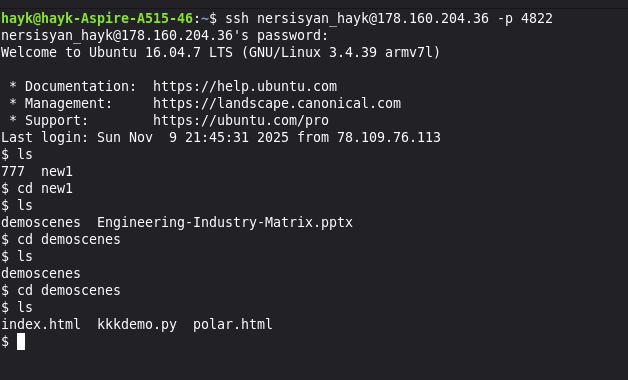
Screenshots showing SSH login, file navigation, and terminal sessions on a remote Linux server.

SSH login screenshot showing terminal connection
SSH Login — Terminal connection to remote server
SSH directory screenshot showing file navigation
File Navigation — Listing files and directories over SSH

Accounts

Screenshots of Email, Diaspora, XMPP, and Peertube accounts used for communication, collaboration, and coordination.

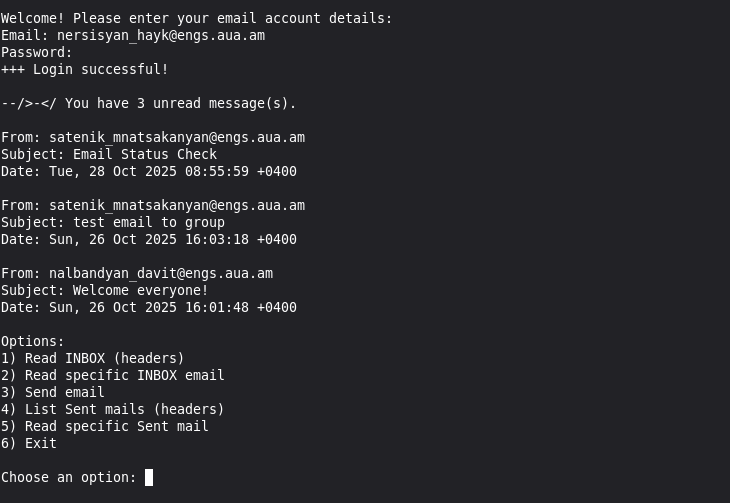
Email account screenshot
Email Account
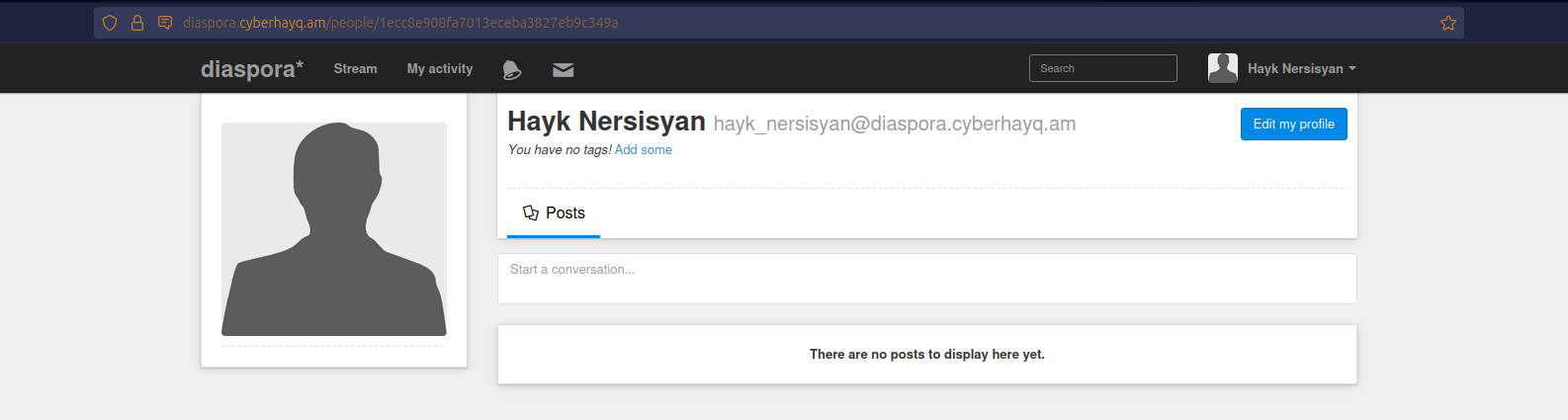
Diaspora account screenshot
Diaspora Account
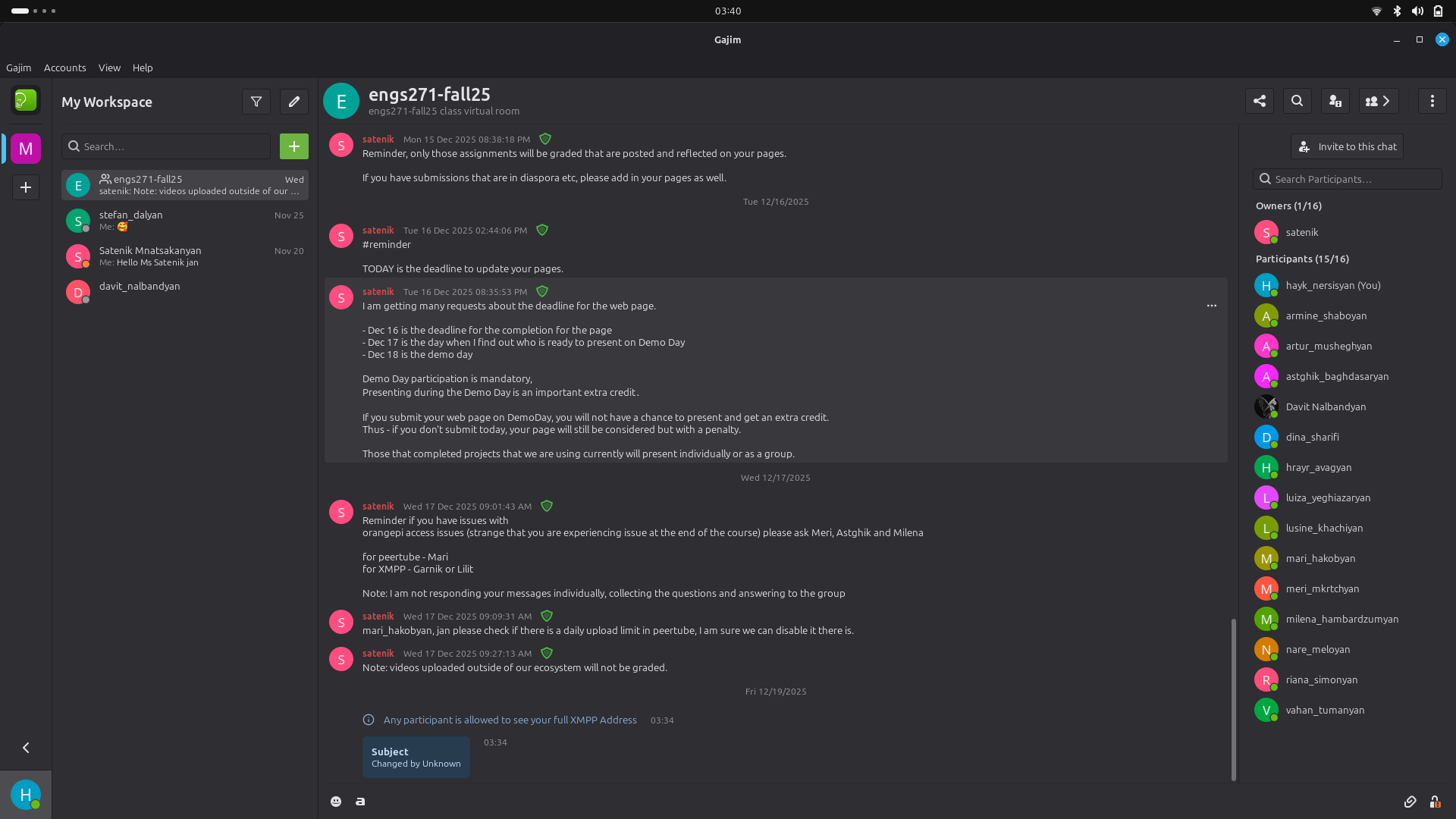
XMPP group chat screenshot
XMPP Group Chat
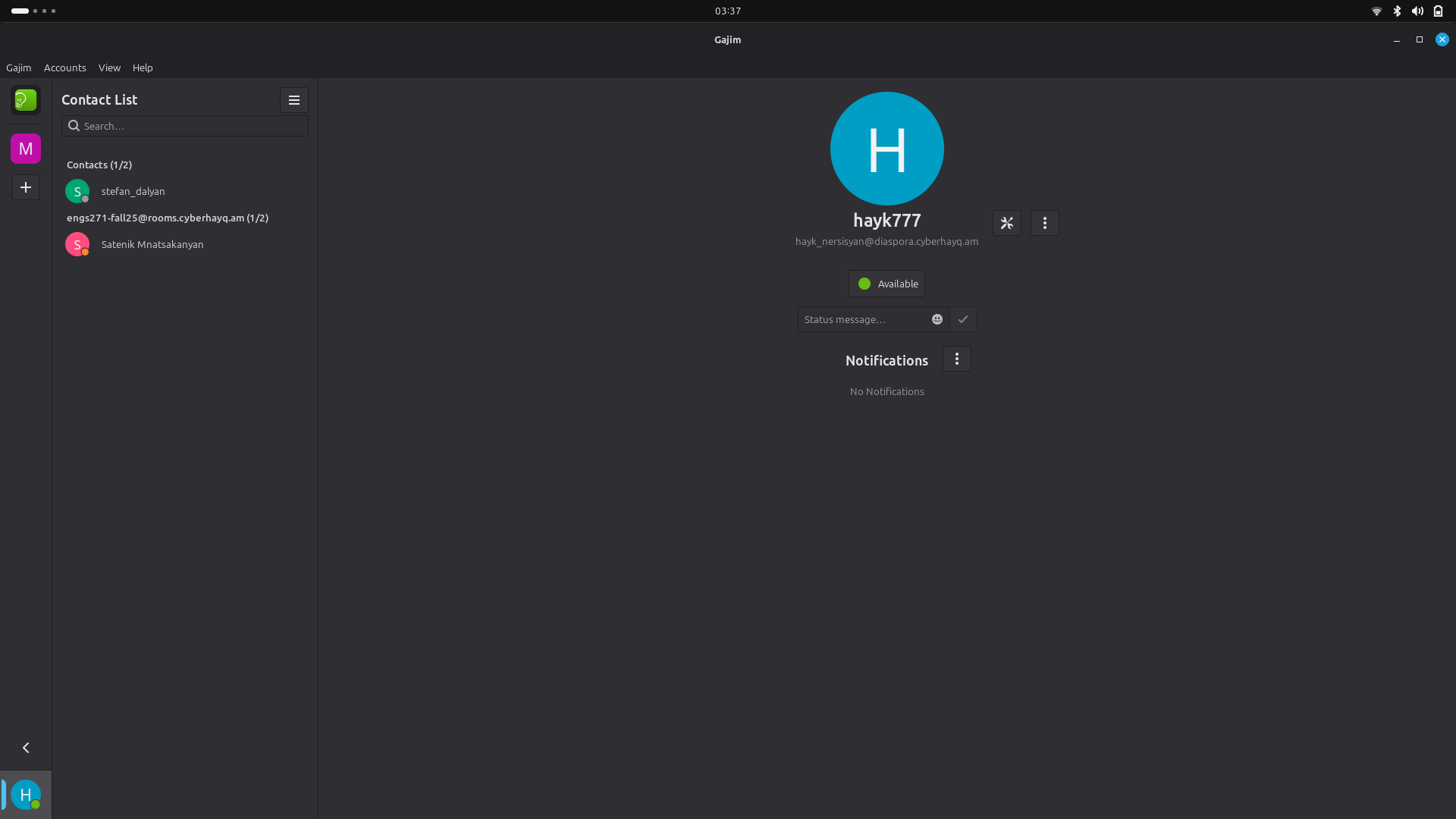
XMPP profile screenshot
XMPP Account Profile
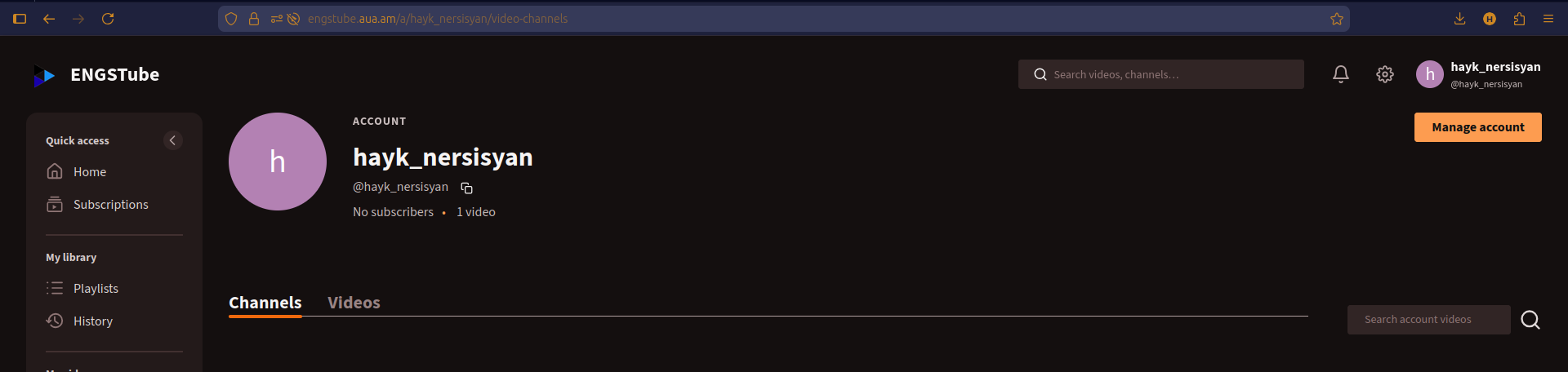
Peertube account screenshot - ENGSTube
Peertube Account - hayk_nersisyan@engstube.aua.am

Dual Boot — Windows & Linux Mint Setup

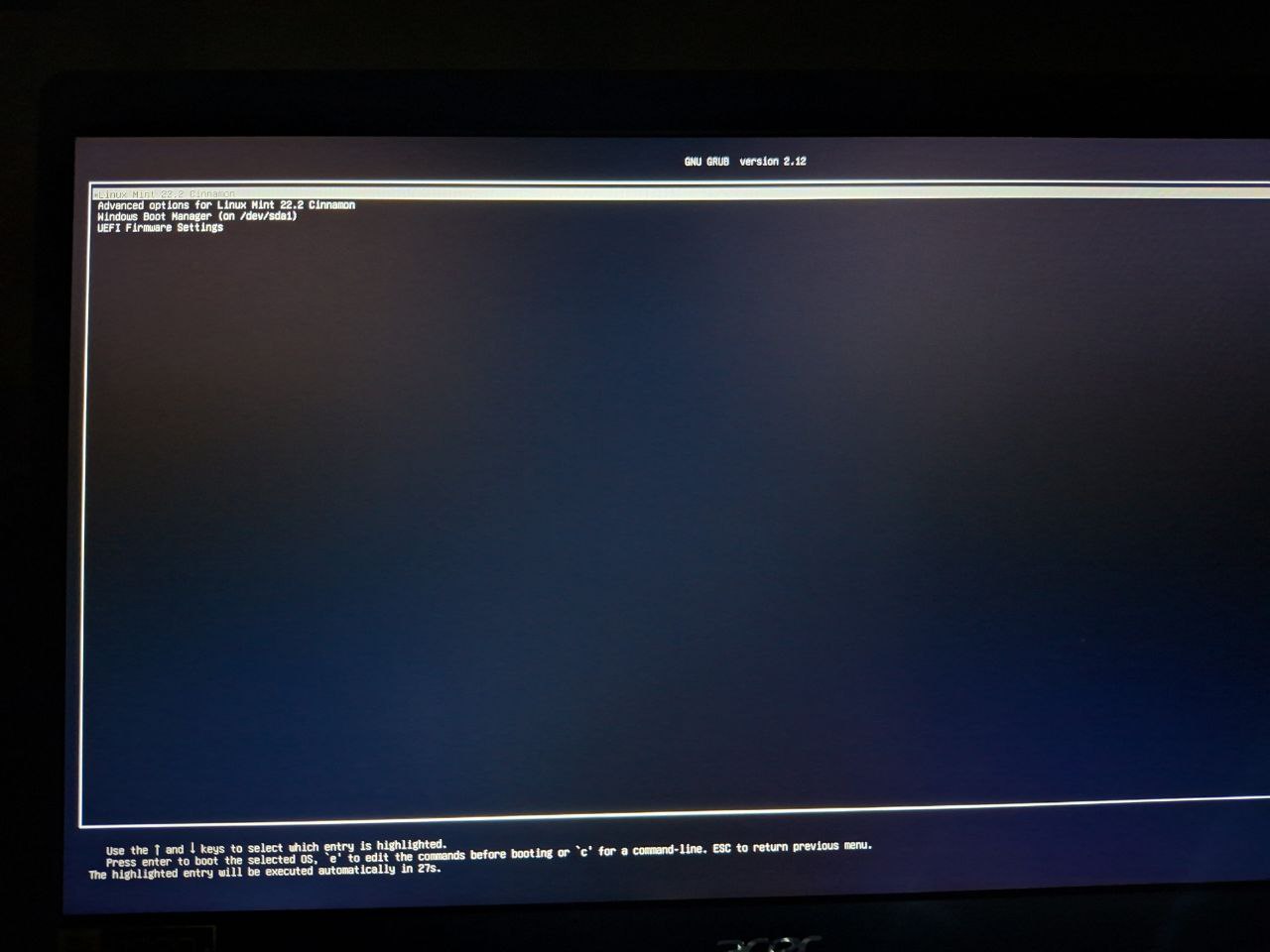
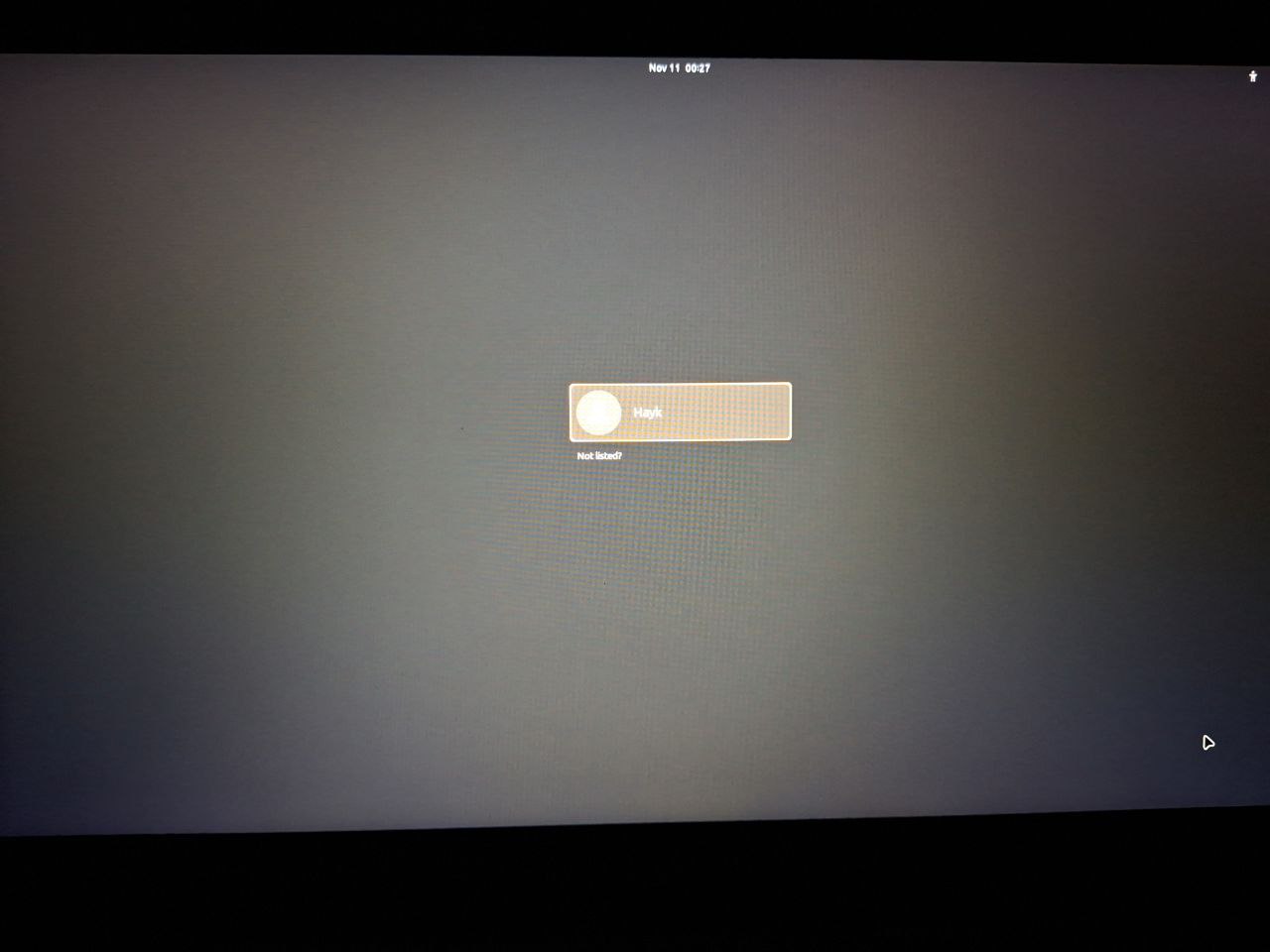
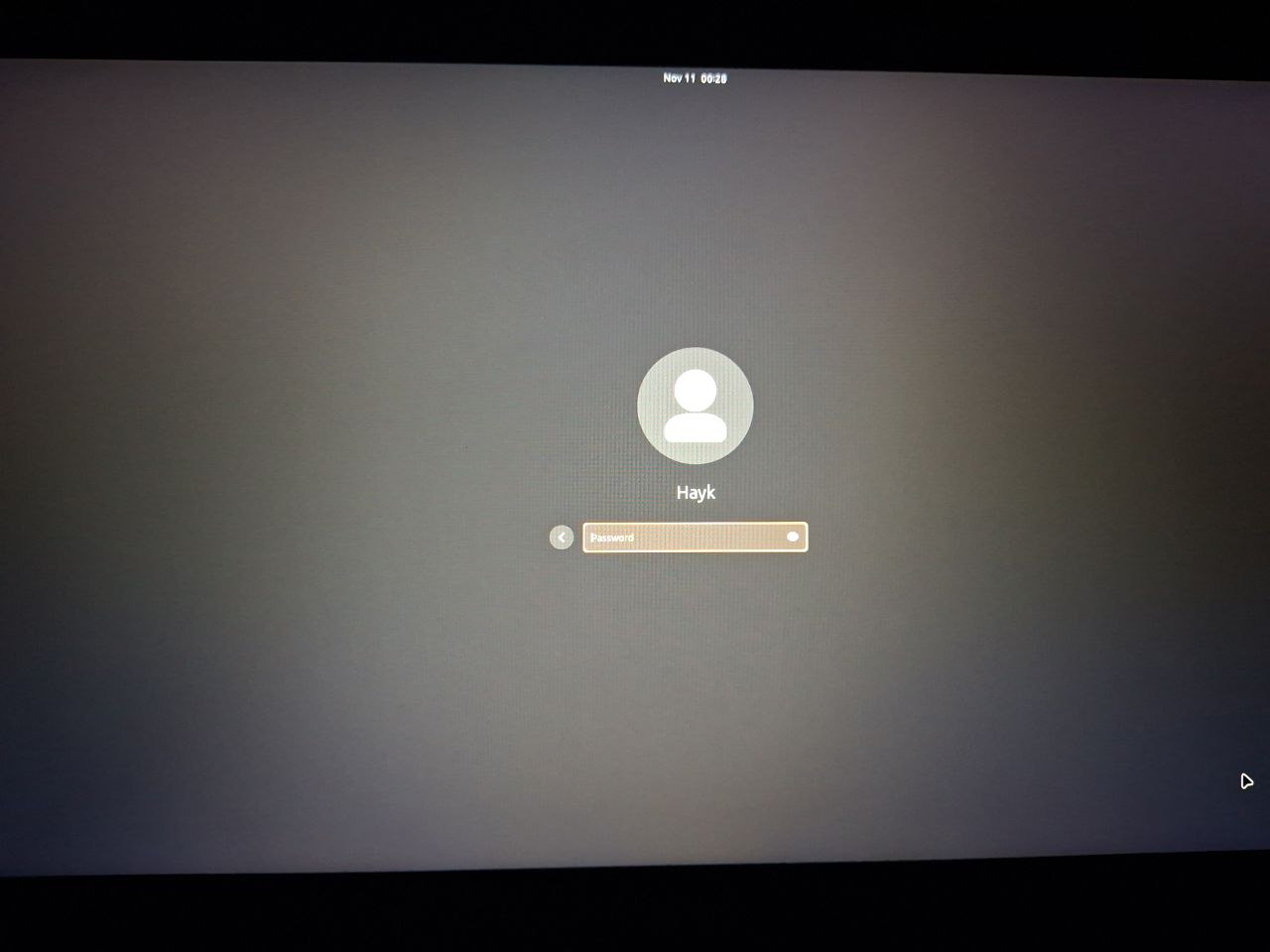
Screenshots showing the installation steps and configuration process for setting up a dual boot system with Windows and Linux Mint.

Dual boot step 1
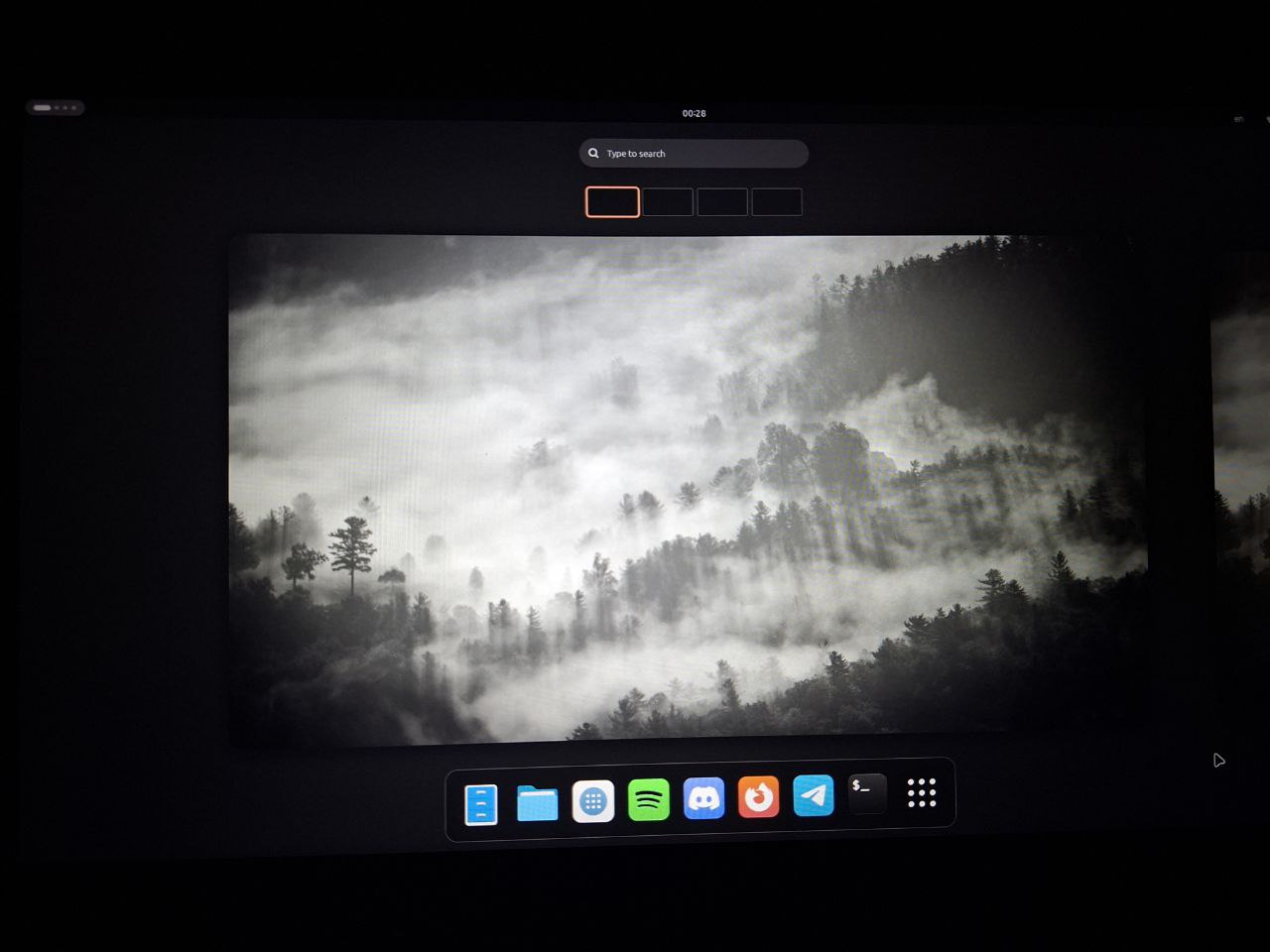
Step 1 — Choosing the operating system when turning on the laptop.
Dual boot step 2
Step 2 — Linux Mint startup and user selection.
Dual boot step 3
Step 3 — Entering the user password to access the system.
Dual boot step 4
Step 4 — Linux Mint desktop and overall system appearance.

Game of Life — Interactive Simulation

Conway's Game of Life is a zero-player cellular automaton. This interactive simulation is fully isolated from the rest of the website.

Logic Gate Simulations in QUCS

QUCS simulations of NAND and NOT gate circuits with transient analysis.

Logic Gate Simulations

Transient simulation of digital logic circuits

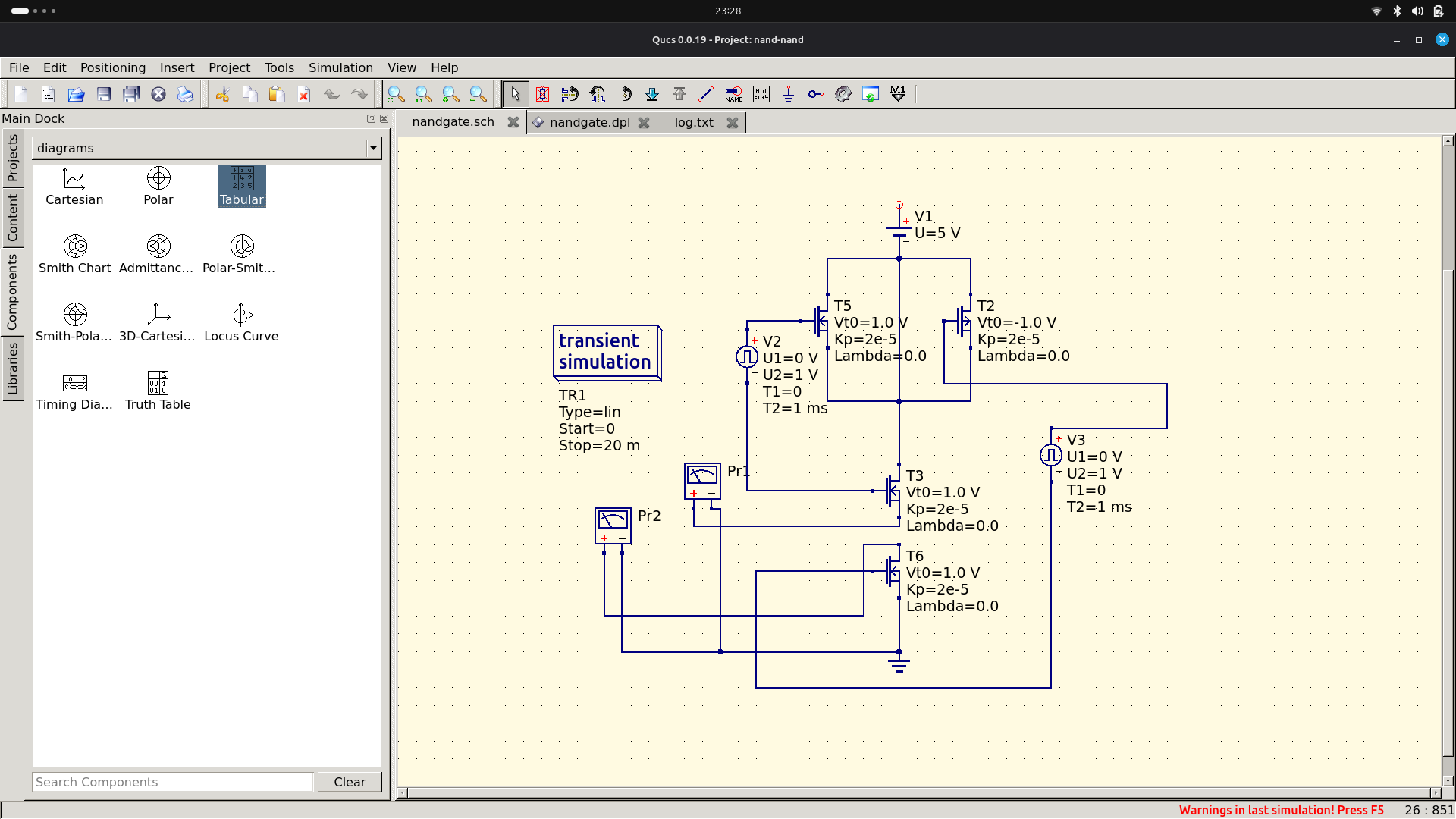
QUCS NAND Gate Simulation

NAND Gate Simulation

Click to expand

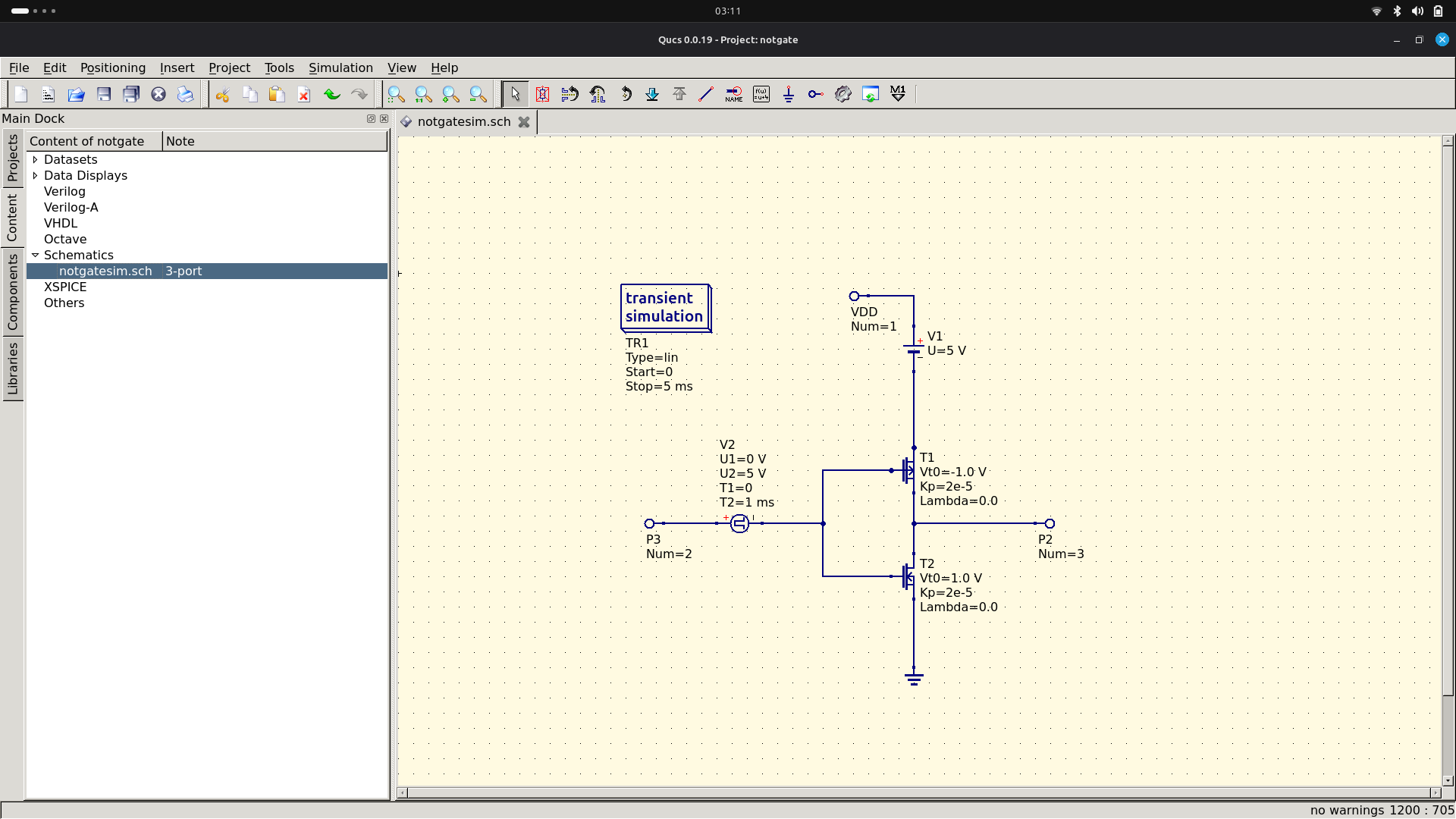
QUCS NOT Gate Simulation

NOT Gate (Inverter) Simulation

Click to expand

NAND Gate Parameters

Transient Simulation

Type: Transient

Start: 0 s

Stop: 20 ms

TR1 Type: lin

Voltage Sources

V2: U1=0V, T1=0, T2=1ms

V3: U1=0V, U2=1V, T1=0, T2=1ms

Transistor Parameters

T5: V0=1.0V, Kp=2e-5, Lambda=0.0

T6: V0=1.0V, Kp=2e-5, Lambda=0.0

T7: V0=1.0V, Kp=2e-5, Lambda=0.0

NOT Gate Parameters

Power Supply

VDD (V1): U = 5 V (DC)

Input Signal

V2 (Pulse): U1=0V, U2=5V

Timing: T1=0, T2=1ms

MOSFET Parameters

PMOS (T1):

Vt0 = -1.0 V, Kp = 2e-5, Lambda = 0.0

Source → VDD, Drain → OUT, Gate → IN

NMOS (T2):

Vt0 = 1.0 V, Kp = 2e-5, Lambda = 0.0

Source → GND, Drain → OUT, Gate → IN

Simulation Settings

Transient (TR1): Type = lin

Time Range: Start=0, Stop=5 ms

Node Voltages: IN=v(2), OUT=v(3)

Plot Range: X: 0-5 ms, Y: 0-5 V

NAND Gate Description

This NAND gate simulation in QUCS demonstrates digital logic circuit behavior using transistor-level modeling with transient analysis to show timing characteristics and Boolean logic implementation.

NOT Gate Description

CMOS NOT gate (inverter) simulation showing the complementary operation of PMOS and NMOS transistors. The transient analysis demonstrates the switching characteristics and propagation delay of the inverter circuit.